
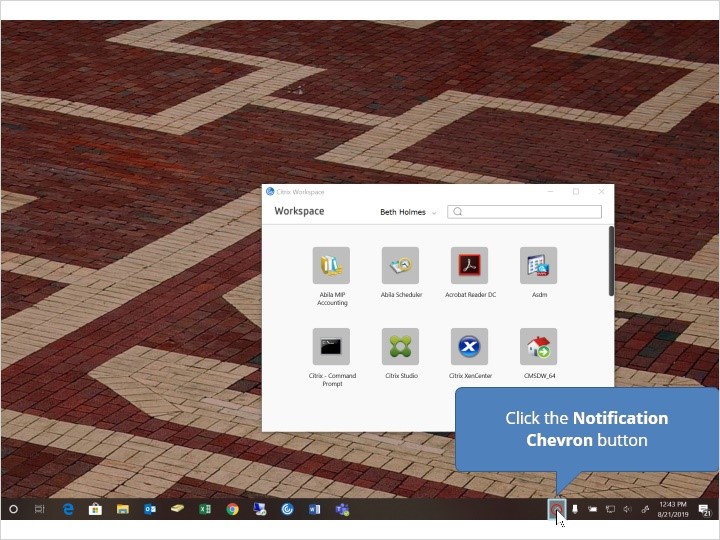
- Click the Notification Chevron button
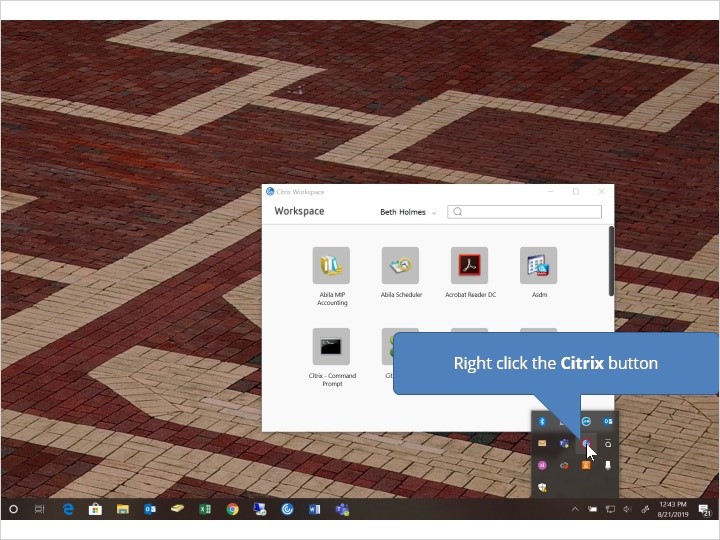
- Right click the Citrix button
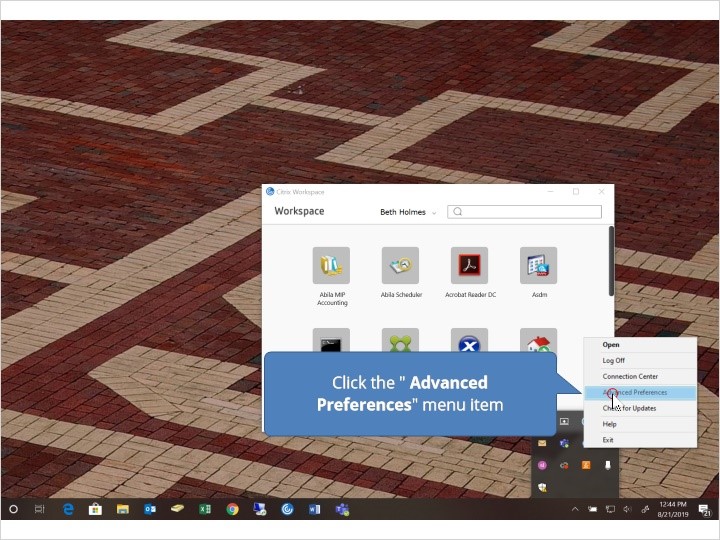
- Click the Advanced Preferences menu item
- Click the Reset Citrix Workspace link

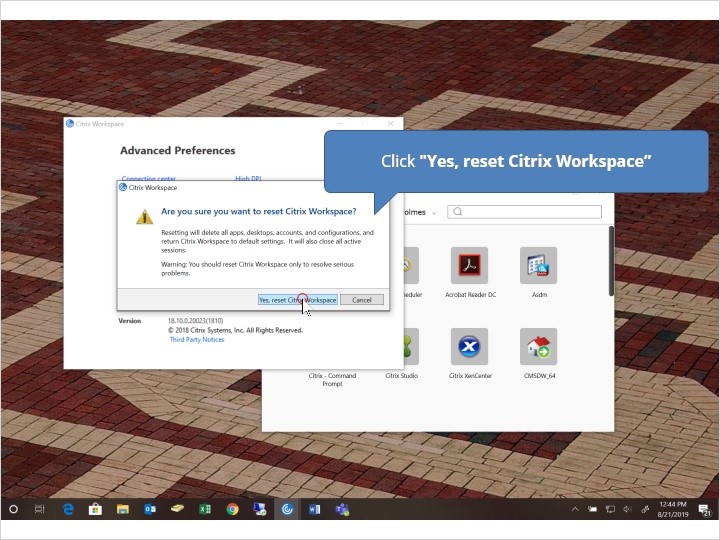
- Click “Yes, reset Citrix Workspace”
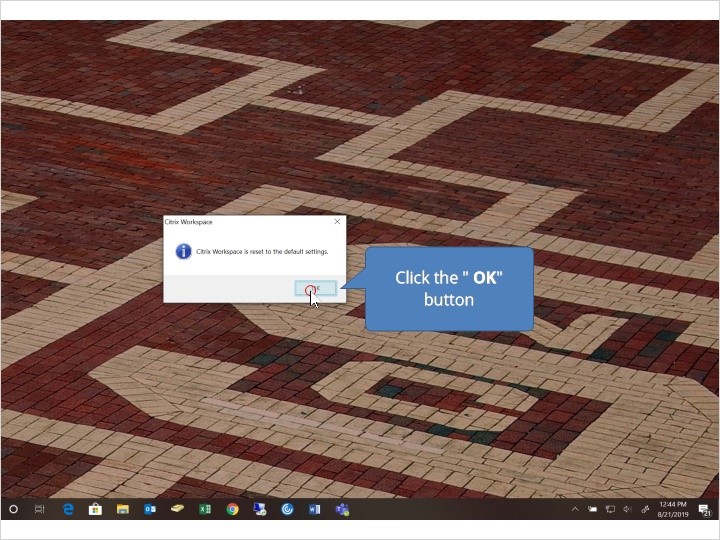
- Click the OK button
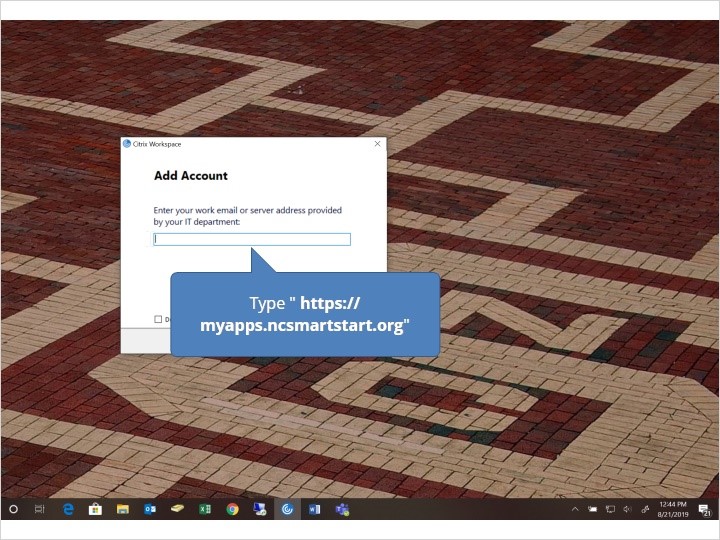
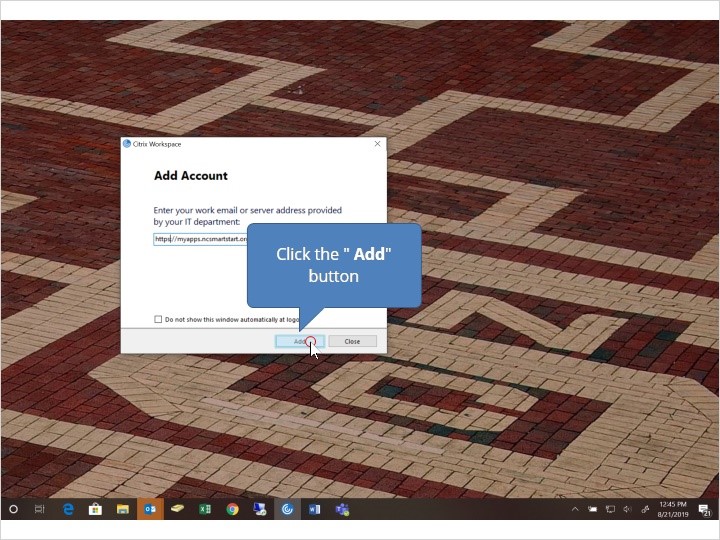
- Click the Add button
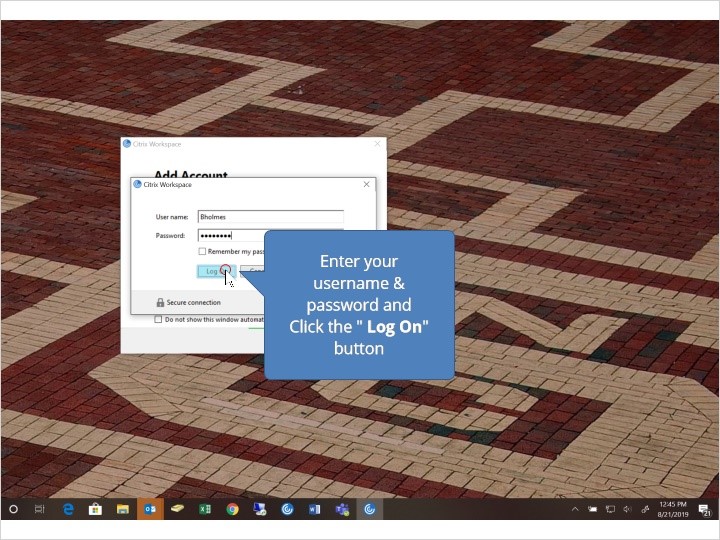
- Enter your username & password then click the Log On button- This Step can take a few minutes the first time you login with the new Citrix Environment
Comments
0 comments
Please sign in to leave a comment.